
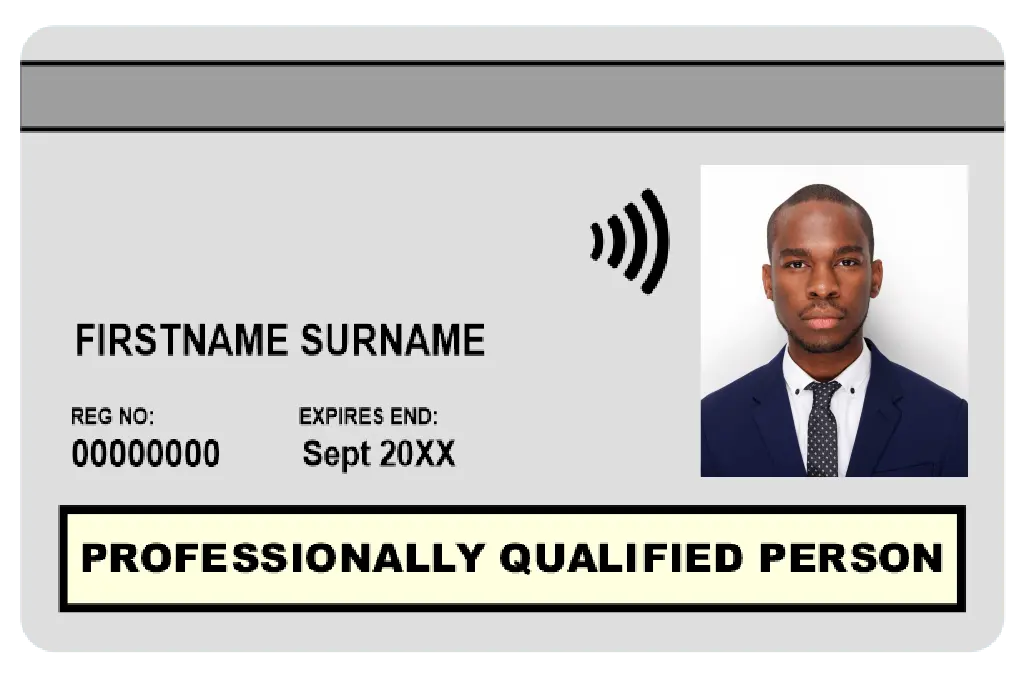
Apply for 5 Year CSCS White Professionally Qualified Person Card Online
Card Validity
5 years
Who qualifies?
Competence-assessed members of a CSCS-approved professional body (CIOB, ICE, RICS, etc.)
What else you’ll need
- CITB Managers & Professionals HS&E Test passed within the last 2 years
- Proof of current membership (choose one):
- Membership certificate dated this calendar year
- Photo/scan of your membership card (both sides) dated this year
- Recent letter or email from the professional body confirming current status
- Receipt showing membership payment for this year
How to renew CSCS White Professionally Qualified Person Card?
You'll need to pass the CITB HS&E Test in Managers & Professionals within the last 2 years to renew your Card. Additionally you'll need to submit your qualification evidence to us.
To renew your CSCS Card, Click here.
Do you need a physical copy of your current CSCS White Professionally Qualified Person Card?
In case you have lost your CSCS Card, or it's broken or stolen, then you can order a replacement for your CSCS Card.
All-inclusive fee
- The CSCS card booking costs £65 which includes the £36 CSCS fee + service cost.
Don't know which CSCS Card to Apply? Review our CSCS Card options and application requirements to find the right card for your next step in construction.
How long does it take?
- Apply online in under 2 minutes
- Instant confirmation by email/SMS
- Upload documents via email
- Card printed and on its way once approved
Still have questions? Chat with Support