
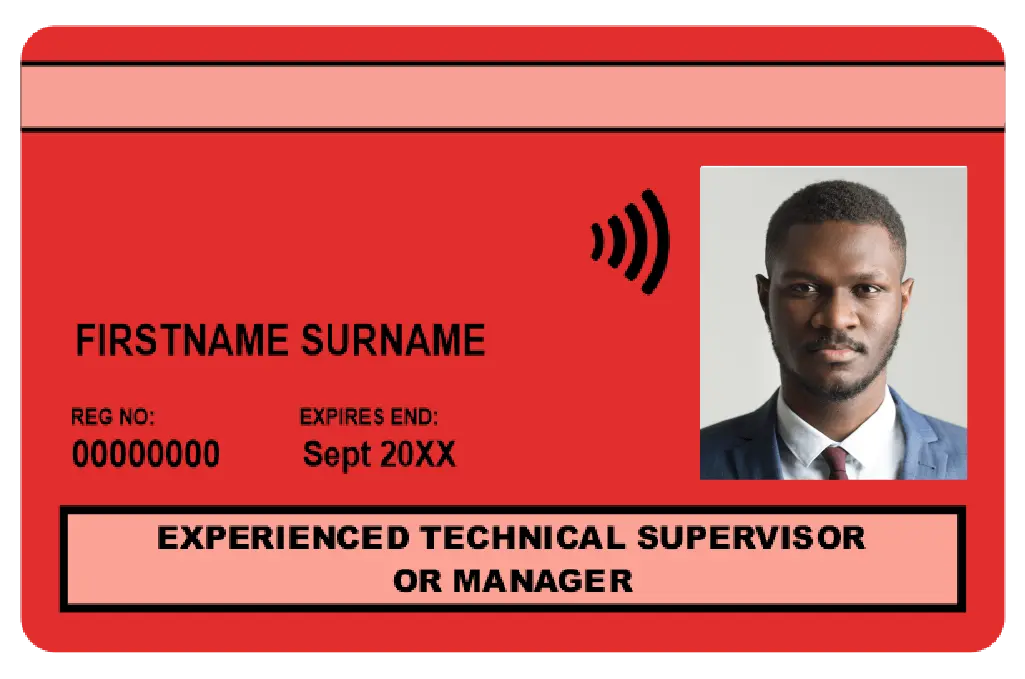
Apply for 3 Years CSCS Red Experienced TSM Card Online
Card Validity
3 Years
Who qualifies?
Work onsite while you finish your Level 3+ qualification, then step up to the CSCS Gold Skilled/Supervisor or Black Manager Card.
- Supervisors, managers, and technical staff with 1+ year’s recent site experience
- Enrolled on an NVQ/SVQ Level 3 (or higher) in a technical, supervisory, or management pathway
What else you’ll need
- CITB Health, Safety & Environment Test passed within the last 2 years (at the correct level for your trade).
Unsure which test? Use our 30-second Card-Finder Tool.
What You’ll Upload (takes 2 minutes)
|
Proof from your training provider |
Must show |
|
Enrolment confirmation on headed paper |
• Your full name • Exact NVQ/SVQ title & level • Registration date (within the last 2 years) |
How to renew CSCS Red Experienced TSM Card?
This card is non-renewable. After completing the registered qualification, the delegate will be eligible for either CSCS Gold Skilled Worker Card or CSCS Gold Supervisor Card or CSCS Black Manager Card.
Do you need a physical copy of your current CSCS Red Experienced Card?
In case you have lost your CSCS Card, or it's broken or stolen, then you can order a replacement for your CSCS Card.
All-inclusive fee
- The CSCS card booking costs £65 which includes the £36 CSCS fee + service cost.
Don't know which CSCS Card to Apply? Review our CSCS Card options and application requirements to find the right card for your next step in construction.
How long does it take?
- Apply online in under 2 minutes
- Instant confirmation by email/SMS
- Upload documents via email
- Card printed and on its way once approved
Still have questions? Chat with Support